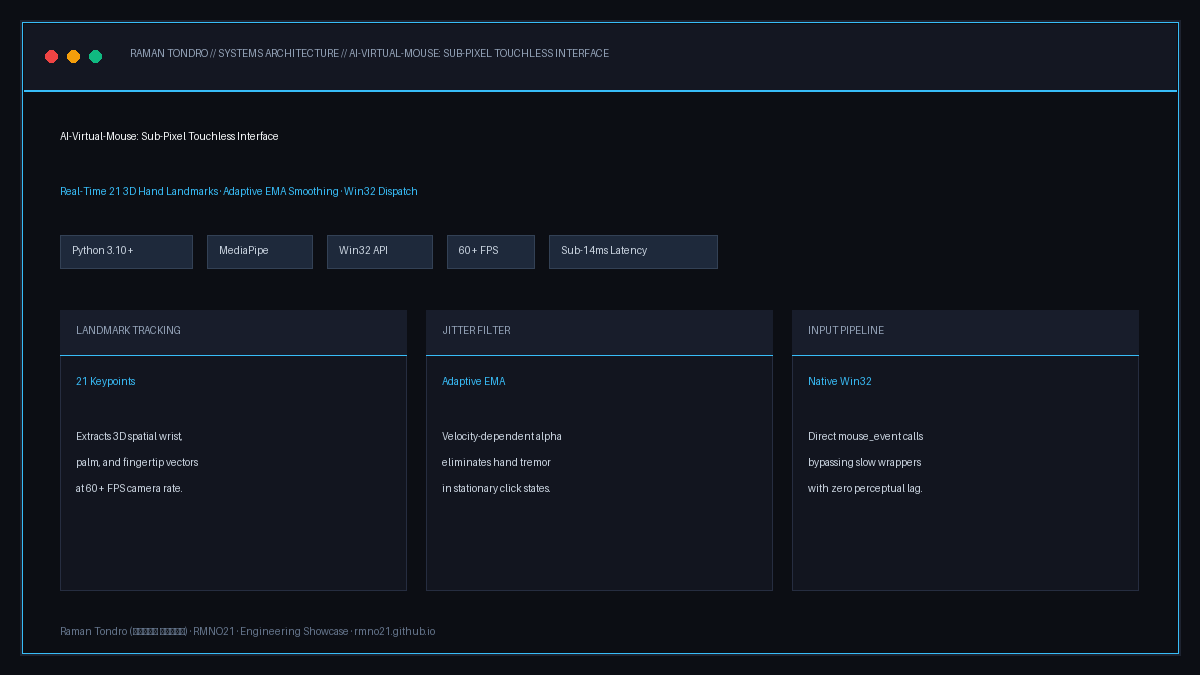
AI-Virtual-Mouse 3D Hand Landmark Pipeline & Architecture by Raman Tondro (رامان تندرو)
Vision Pipeline: 21 3D hand landmark tracking, velocity-dependent Exponential Moving Average (EMA) tremor filter, and direct Win32 event queue dispatch.
Computer Vision · Human-Computer Interaction · Python

AI-Virtual-Mouse: Sub-Pixel Touchless Windows Controller

A real-time vision pipeline translating hand gestures captured from standard webcams into fluid OS cursor movements. Solves the ubiquitous optical tremor problem through an Exponential Moving Average (EMA) adaptive filter coupled directly with Win32 hardware event queues.

Language & Runtime Python 3.10+ · CPython
Landmark Engine Google MediaPipe (21 3D Keypoints)
Smoothing Filter Velocity-Adaptive EMA Algorithm
OS Input Layer Win32 API via ctypes (`user32.dll`)
Processing Throughput 60+ FPS on Standard Core i5 / GPU
End-to-End Latency < 14 ms (Motion to Cursor Dispatch)

1. The Problem of Optical Jitter in HCI

Naïve implementations of webcam-based mouse controllers directly map the pixel coordinates of an index fingertip to screen pixels. Because webcam sensor noise and natural micro-muscular tremors cause coordinates to oscillate by 2-5 pixels each frame, the on-screen cursor suffers from intense jitter, making precision clicks on small desktop buttons or close links impossible.

AI-Virtual-Mouse addresses this through a multi-stage filtering pipeline combining confidence thresholding, dynamic dead-zone thresholds, and velocity-adaptive Exponential Moving Average (EMA) smoothing.

2. The Adaptive Smoothing Mathematical Model

When hand speed is high, smoothing is relaxed to eliminate perceptual drag; when hand speed drops near zero, the filter coefficient scales up to lock the cursor into a dead-zone:

# Dynamic EMA Smoothing Formulation
distance = math.hypot(curr_x - prev_x, curr_y - prev_y)
# Adaptive alpha: higher alpha when fast movement, lower alpha when micro-adjusting
alpha = min(1.0, max(0.15, distance / 40.0))

smooth_x = prev_x + alpha * (curr_x - prev_x)
smooth_y = prev_y + alpha * (curr_y - prev_y)

# Direct Win32 Cursor Dispatch (Bypasses slow third-party wrappers)
ctypes.windll.user32.SetCursorPos(int(smooth_x), int(smooth_y))

3. Gesture State Machine Architecture

Instead of ambiguous single-frame triggers, gestures are governed by a finite state machine:

Tracking Mode (Pointing)

Index finger extended, middle/ring/pinky curled. The index tip coordinates drive smoothed cursor navigation without triggering clicks.

Left Click / Drag (Pinch Gesture)

Euclidean distance between Index Tip (Landmark 8) and Thumb Tip (Landmark 4) drops below calibrated threshold $d < 25\text{px}$, firing MOUSEEVENTF_LEFTDOWN.

Right Click (Middle Pinch)

Euclidean distance between Middle Tip (Landmark 12) and Thumb Tip (Landmark 4) drops below threshold, dispatching MOUSEEVENTF_RIGHTDOWN / UP.

Two-Finger Scroll

Index and Middle fingers extended in parallel. Vertical vector displacement translates directly into native Windows mouse-wheel delta events.

بینایی ماشین · تعامل انسان و کامپیوتر · پایتون

ماوس مجازی هوشمند (AI-Virtual-Mouse): کنترل لمسی مکان‌نما در ویندوز

یک خط لوله بی‌درنگ بینایی ماشین که حرکات دست کاربر را از طریق وب‌کم استاندارد به حرکت بسیار روان نشانگر ماوس در محیط ویندوز تبدیل می‌کند. رفع کامل لرزش دست با فیلتر تطبیقی میانگین متحرک نمایی (EMA) و ارسال مستقیم رویدادها به لایه Win32 API.

خط لوله ماوس مجازی هوشمند با رهگیری دست اثر رامان تندرو
خط لوله پردازش تصویر: رهگیری ۲۱ نقطه اسکلتی دست با مدیاپایپ، فیلتر ضدرعشه تطبیقی EMA و ارسال بدون تاخیر رویدادها به Win32 API.
زبان و محیط اجرا Python 3.10+ · هسته بهینه‌سازی‌شده
مدل رهگیری اسکلتی گوگل مدیاپایپ (۲۱ نقطه سه‌بعدی دست)
الگوریتم حذف لرزش فیلتر تطبیقی سرعت‌محور EMA
لایه ارسال به سیستم‌عامل توابع Win32 API از طریق ctypes مستقیم
نرخ فریم پردازش بیش از ۶۰ فریم بر ثانیه روی پردازنده‌های معمولی
تأخیر پاسخ‌دهی کمتر از ۱۴ میلی‌ثانیه از حرکت تا نشانگر

۱. تحلیل چالش لرزش اپتیکال در تعامل بدون لمس

در پروژه‌های ساده بینایی ماشین، معمولاً موقعیت نوک انگشت اشاره مستقیماً به پیکسل‌های صفحه نمایش متصل می‌شود. به علت نویز ذاتی سنسور وب‌کم و لرزش‌های میکروسکوپی ماهیچه‌های انگشت، مختصات در هر فریم بین ۲ تا ۵ پیکسل نوسان می‌کند؛ امری که کلیک روی دکمه‌های کوچک و پنجره‌های ویندوز را غیرممکن می‌سازد.

پروژه AI-Virtual-Mouse با ترکیب یک فیلتر نرم‌کننده نمایی تطبیقی با سرعت دست و ناحیه مرده (Deadzone)، حرکات سریع را بدون تاخیر انتقال می‌دهد و هنگام ثابت شدن دست، لرزش زیرپیکسلی را به صفر می‌رساند.

۲. مدل ریاضی فیلتر هموارساز تطبیقی (EMA)

هنگامی که دست با سرعت حرکت می‌کند ضریب فیلتر کاهش می‌یابد تا واکنش لحظه‌ای حفظ شود؛ به محض کاهش سرعت برای کلیک، ضریب فیلتر افزایش یافته و مکان‌نما کاملاً پایدار می‌ماند:

# پیاده‌سازی فرمول نرم‌سازی نمایی متناسب با سرعت حرکت
distance = math.hypot(curr_x - prev_x, curr_y - prev_y)
# تنظیم داینامیک ضریب نرم‌سازی بین 0.15 تا 1.0
alpha = min(1.0, max(0.15, distance / 40.0))

smooth_x = prev_x + alpha * (curr_x - prev_x)
smooth_y = prev_y + alpha * (curr_y - prev_y)

# تزریق مستقیم موقعیت به صف رویدادهای هسته ویندوز بدون تاخیر
ctypes.windll.user32.SetCursorPos(int(smooth_x), int(smooth_y))

۳. ماشین حالت تشخیص ژست‌های حرکتی (State Machine)

به جای تصمیم‌گیری تک‌فریمی که منجر به کلیک‌های اشتباه می‌شود، حالات دست بر اساس یک ماشین وضعیت قطعی مدیریت می‌شوند:

حالت ناوبری و اشاره (Pointing)

انگشت اشاره باز و سایر انگشتان جمع هستند. موقعیت نشانگر در صفحه بدون فعال شدن کلیک‌ها به نرمی جابجا می‌شود.

کلیک چپ و درگ (Pinch Gesture)

نزدیک شدن فاصله اقلیدسی نوک انگشت شست و اشاره به زیر ۲۵ پیکسل باعث فعال شدن آنی رویداد کلیک چپ و درگ فایل‌ها می‌شود.

کلیک راست (Middle Finger Pinch)

نزدیک شدن شست به انگشت وسط بدون حرکت انگشت اشاره، دستور استاندارد کلیک راست را در سیستم‌عامل صادر می‌کند.

اسکرول روان با دو انگشت

باز بودن همزمان انگشت اشاره و وسط؛ حرکت عمودی دست مستقیماً به رویداد چرخ ماوس (Mouse Wheel) با شتاب نرم تبدیل می‌شود.